SlotPress Casino Portal
A practical guide to installing the plugin, publishing structured casino content, tracking outbound actions, and presenting ten local HTML5 sample games from WordPress.
Product scope
Know what you are installing
SlotPress is a self-contained WordPress publishing plugin. It manages casinos, providers, bonuses, slot reviews, local affiliate click reports, and HTML5 presentation games. The package works without purchase-code activation or an external service.
Included
- Casino, provider, bonus, slot, and game content types
- Responsive archives, profiles, cards, filters, and comparison table
- Signed local affiliate redirects and click reports
- CSV templates and create-or-update imports
- Optional fictional demo content with managed removal
- Ten local HTML5 sample games and one reskin starter
Not included
- Real-money wallet settlement
- Deposits, withdrawals, KYC, or payment gateways
- Remote math, certified RNG, or gambling certification
- Construct project source files
- Third-party operator data or live affiliate accounts
The bundled games use local sample credits and presentation outcomes only. Do not describe them as certified real-money gambling games.
Before installation
Requirements and package contents
Files in the buyer package
| Path | Purpose | What to do |
|---|---|---|
slotpress-casino-portal.zip | Installable WordPress plugin | Upload this file in WordPress |
documentation/index.html | Offline copy of this manual | Open it in a browser |
developer-kit/slotpress-html5-starter-source.zip | Editable reskin example | Extract it before editing assets |
README-FIRST.txt | Package quick start | Read this first when handing the package to another administrator |
checksums.sha256 | File integrity hashes | Use only when verifying an archive |
WordPress setup
Install the plugin
Open the plugin uploader
In WordPress, go to Plugins > Add New Plugin > Upload Plugin.
Select the installable ZIP
Choose
slotpress-casino-portal.zip. Do not upload the larger main-files package.Install and activate
WordPress creates the SlotPress menu and synchronizes the ten bundled game records.
Refresh routes once
Open Settings > Permalinks and click Save Changes. This refreshes the game and content routes.
If WordPress rejects the ZIP before installation, increase upload_max_filesize and post_max_size, or upload the extracted slotpress-casino-portal folder to wp-content/plugins/ through your hosting file manager.
Recommended order
Complete the first setup
Open SlotPress first. The dashboard reports the synchronized game count and provides direct links to the main publishing tasks. A healthy new installation shows 10 of 10 game records synchronized.
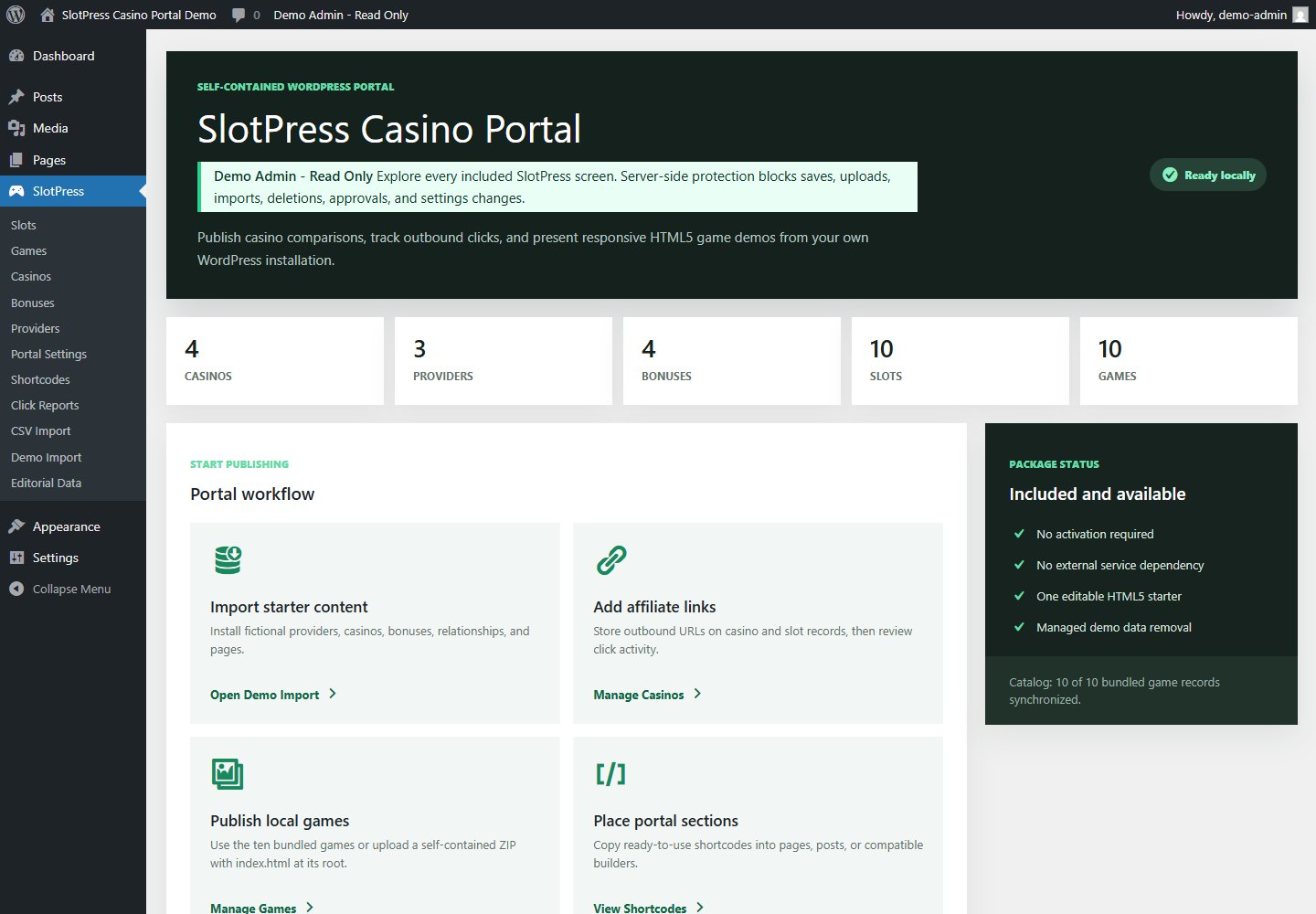
Import the fictional starter content, leave Theme appearance selected, create a page containing [slotwp_directory], and verify one outbound button plus one HTML5 game.
Optional starter site
Import and remove demo data safely
Go to SlotPress > Demo Import. The importer creates fictional providers, casinos, bonuses, relationships, and pages. The ten bundled games are product content and are not created or removed by this importer.
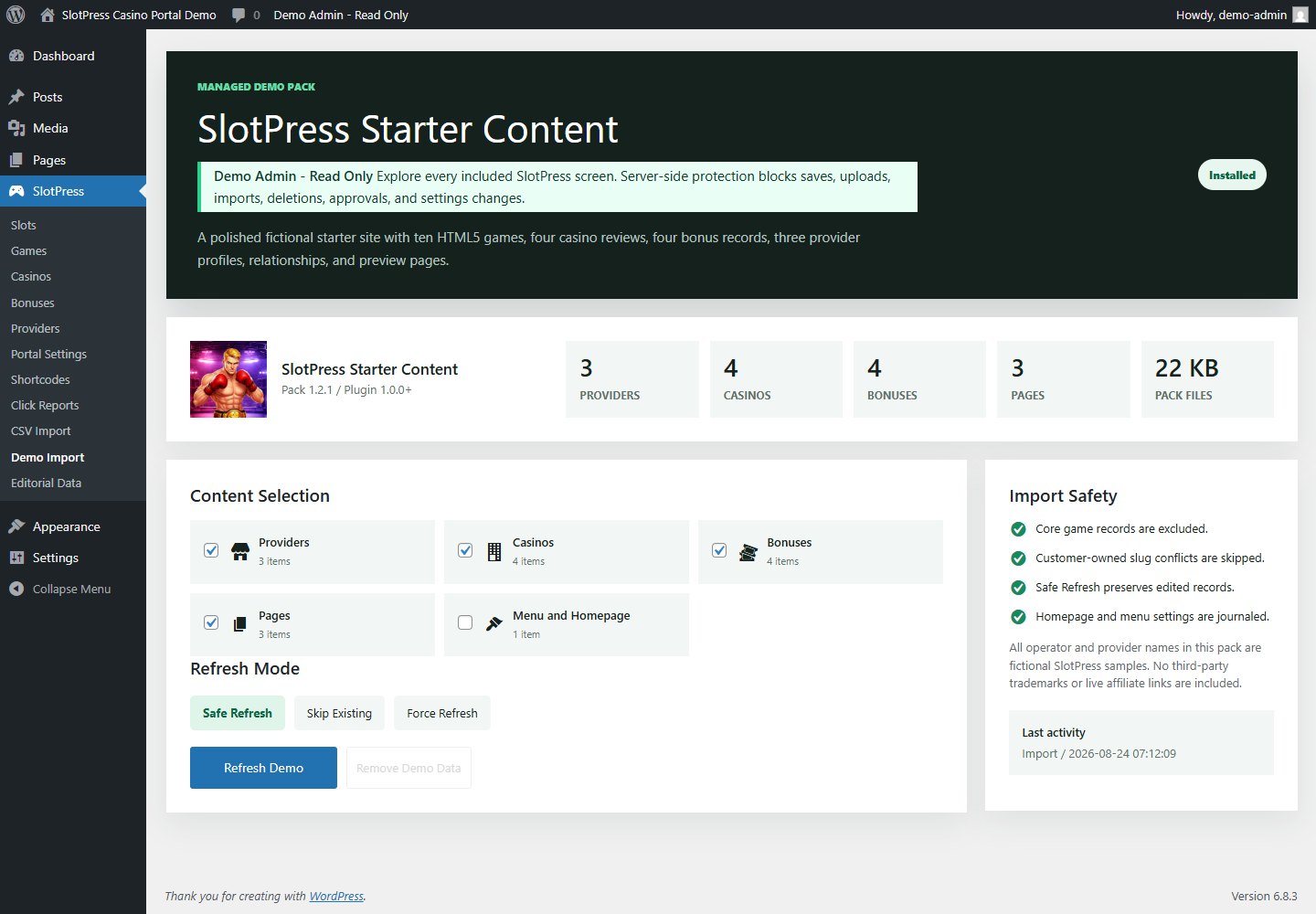
Choose a refresh mode
Recommended. Updates untouched managed records and preserves records changed after import.
Creates missing records and leaves matching records unchanged.
Reapplies the pack to records owned by the demo pack. Use only when you want a clean fictional baseline.
What removal does
- Removes only records tagged as managed starter content.
- Leaves core game records and customer-created records in place.
- Restores imported homepage and menu settings only when those values have not been changed afterward.
- Skips customer-owned slug conflicts instead of taking ownership of them.
Editorial structure
Build a connected content library
| Content | Key fields | Relationships and output |
|---|---|---|
| Casinos | Rating, market, offer summary, payments, payout notes, source URLs, affiliate URL | Comparison rows, review cards, bonus/provider/slot links |
| Providers | Studio profile, markets, technology, portfolio, sources, verification date | Provider archive, profile, notable slots |
| Bonuses | Amount, wagering, dates, market, code, terms URL, status | Bonus archive and linked casino/eligible slots |
| Slots | RTP, volatility, reels, paylines, review text, images, affiliate/demo URL | Slot archive, detail page, provider and internal game links |
| Games | Public slug, local build source, build path or ZIP, aspect ratio | Dedicated player route and optional embedded player |
Editorial publishing checklist
- Write original titles, excerpts, and body copy
- Use media you own or are licensed to publish
- Verify operator, licensing, offer, and market claims
- Add source URLs and a real last-verified date
- Review affiliate destinations in a private browser window
- Replace every fictional demo record before launch
Theme integration
Choose the frontend appearance
Open SlotPress > Portal Settings. These settings control the full directory shortcode and the shared frontend presentation.
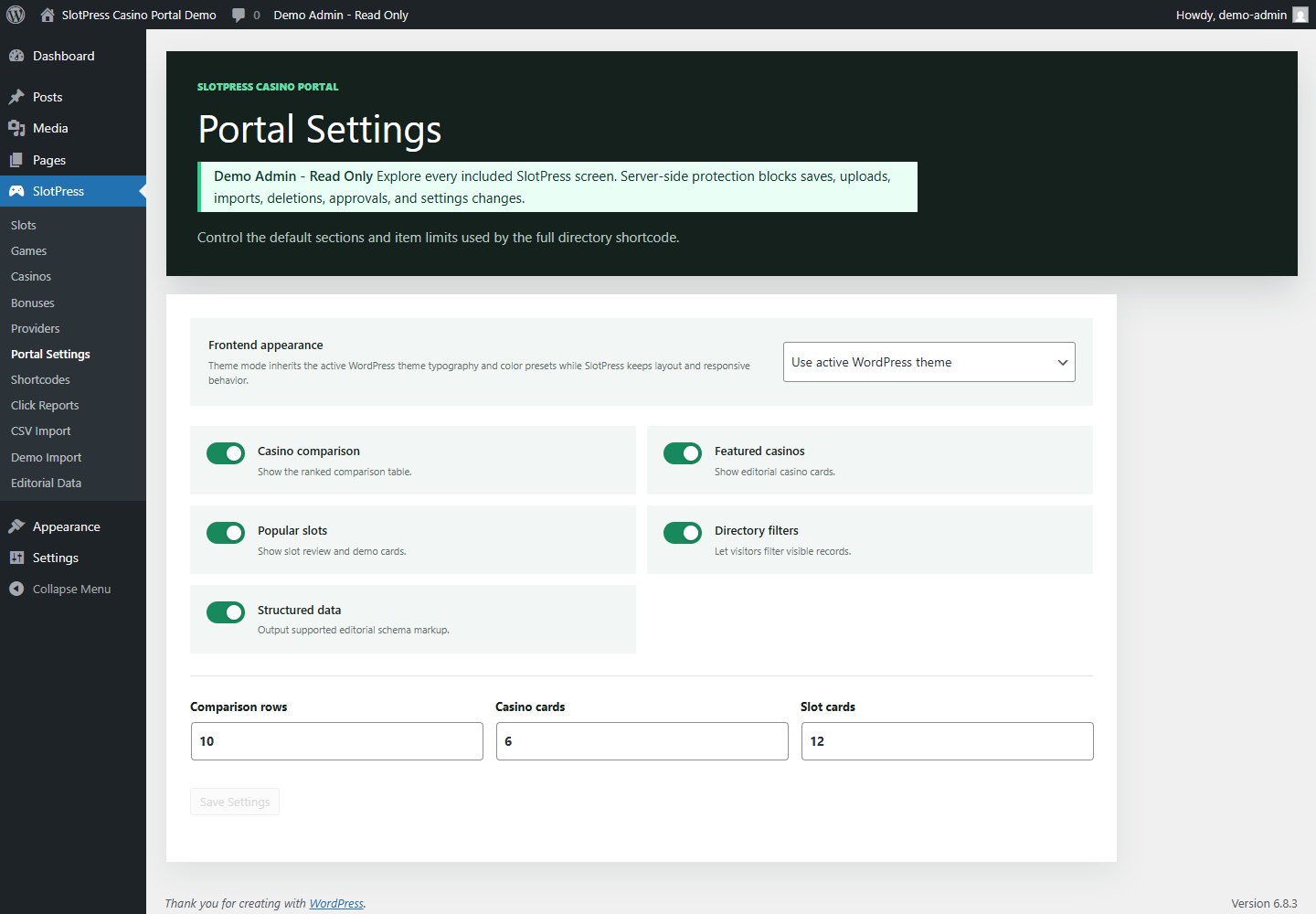
Use active WordPress theme
Inherits the active theme typography, preset colors, button treatment, content width, wide width, and spacing tokens. SlotPress keeps the grids, tables, filters, profile structure, and mobile breakpoints.
SlotPress dark
Uses the bundled dark casino presentation for a self-contained portal. The HTML5 stage remains dark in both modes so game art stays legible.
You can also enable or disable the comparison table, casino cards, slot cards, directory filters, and structured data, then set the row/card limits. Public SlotPress CSS is loaded only on SlotPress shortcodes, archives, profiles, and player routes.
Page placement
Use the shortcode library
Copy a preset from SlotPress > Shortcodes into a Shortcode block, a classic editor, or a page builder that runs WordPress shortcodes.
[slotwp_directory][slotwp_casino_table limit="10" use_filters="1"][slotwp_casinos limit="6" premium_template="1" use_filters="1"][slotwp_slots limit="12" premium_template="1" use_filters="1"][slotpress_game game_slug="power-punch"]limit accepts 1 to 50. Set use_filters="1" when the shortcode should respond to SlotPress directory filter query values. Use Portal Settings for the complete directory defaults.
Outbound reporting
Configure affiliate links and click reports
Add a destination
Edit a Casino or Slot and enter its affiliate URL. Use the demo URL field only for a separate game/demo destination.
Publish a frontend action
SlotPress replaces eligible card and table actions with a signed local redirect URL.
Test the final destination
Open the public page in a private browser window, click once, and confirm the correct external page opens.
Review reports
Open SlotPress > Click Reports for total clicks, tracked entries, last click time, and recent contexts.
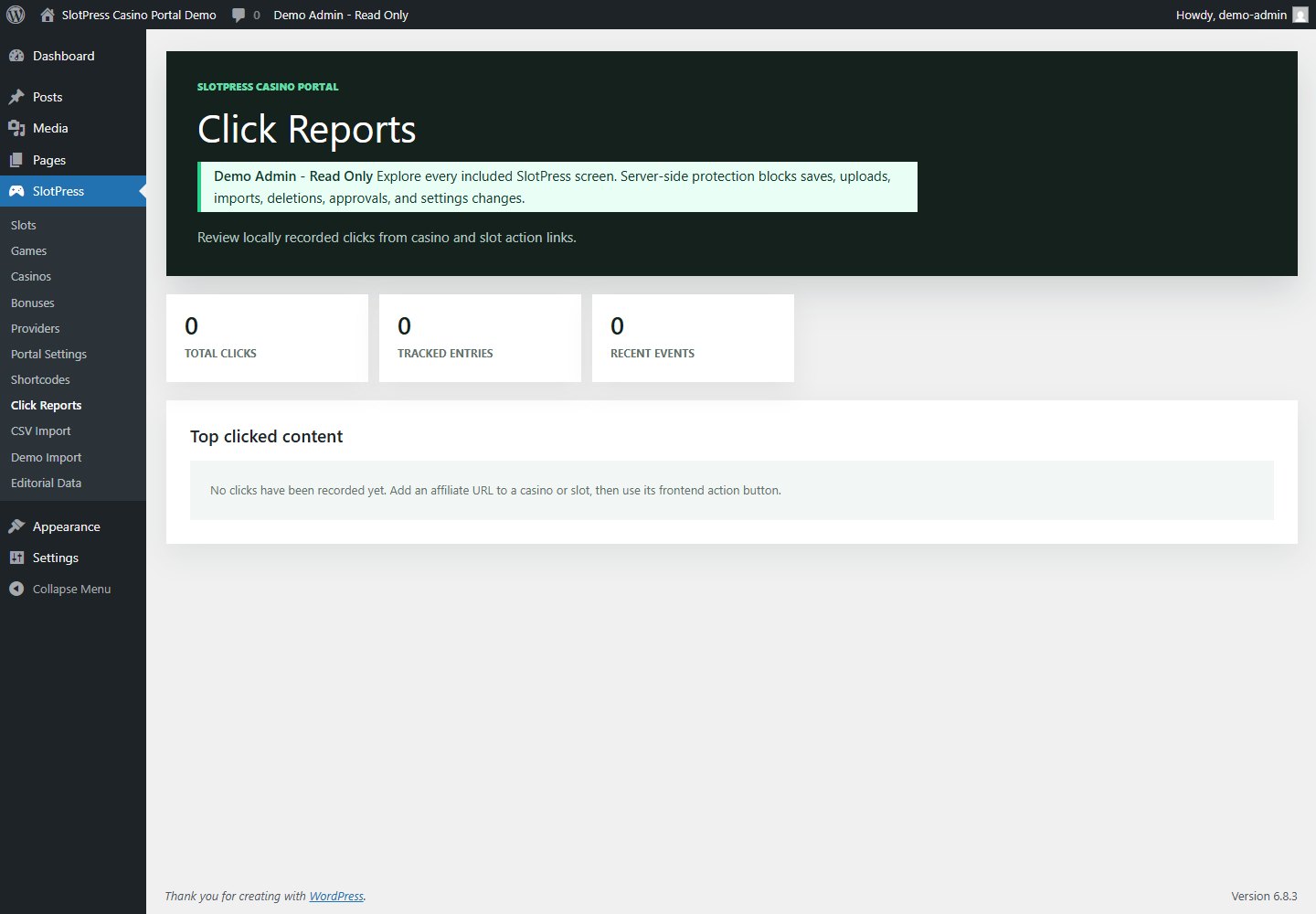
Add required affiliate disclosures, use rel="nofollow sponsored" on custom external links, and follow the advertising and gambling rules that apply to your audience.
Bulk publishing
Import content from CSV
SlotPress supports Providers, Casinos, Bonuses, and Slots. Imports are matched by slug: a new slug creates a record and an existing slug updates that record.
Download the correct template
Open SlotPress > CSV Import and download the template for the content type you need.
Keep the header row unchanged
Edit the example row or add rows beneath it. Save as a UTF-8 CSV file. A title is required for every imported row.
Use stable slugs
Do not change an existing slug unless you intend to create a separate record. Use related record slugs in relationship columns.
Import and review the summary
The result reports total, created, updated, skipped, and row-level errors. Inspect the imported posts before publishing.
A CSV update changes matching records immediately. Export or back up the site before importing a large catalog.
Local player
Publish HTML5 games
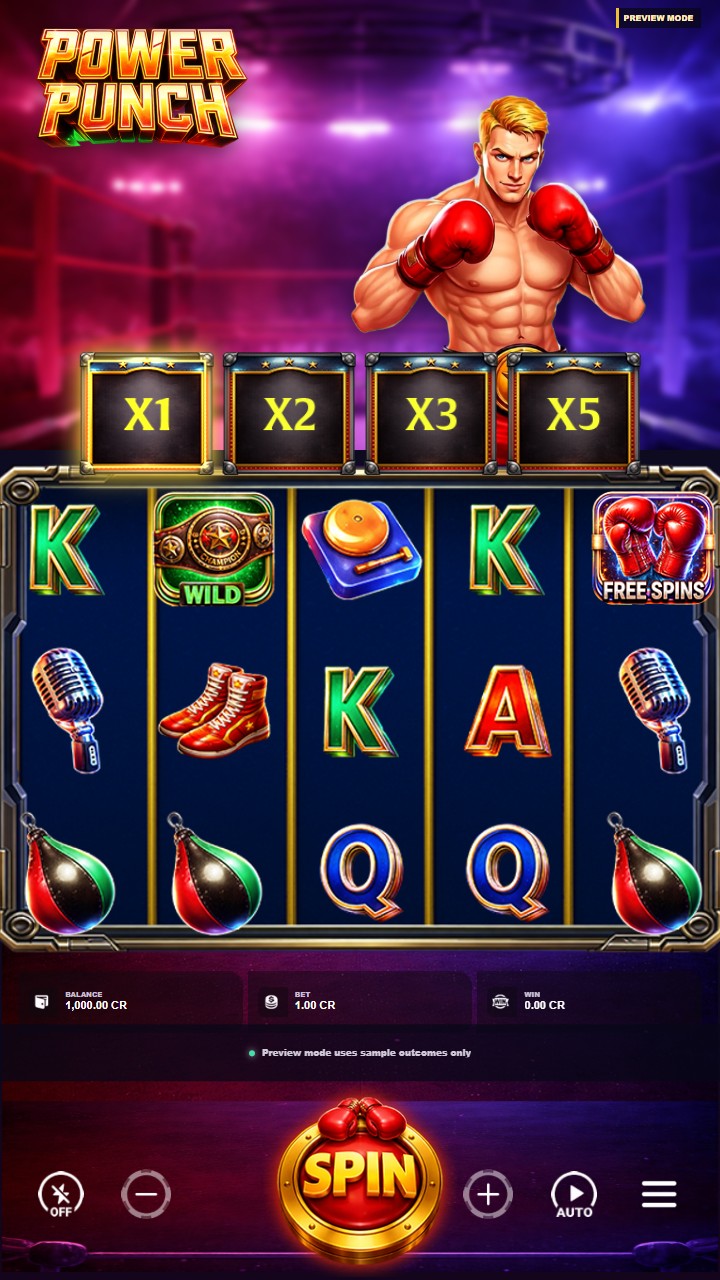
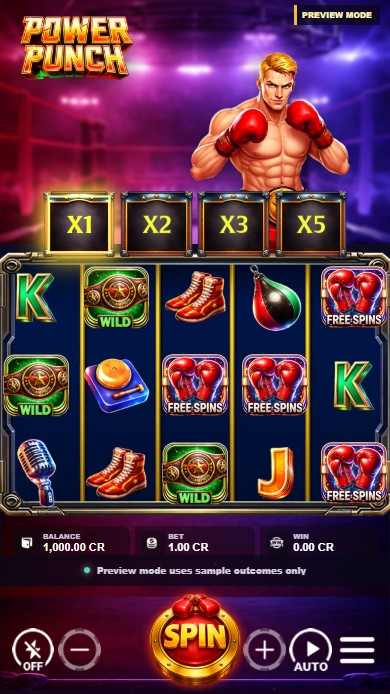
The plugin includes ten portrait HTML5 presentation games. Each game has a dedicated route, responsive player shell, fullscreen control, local sample credits, and a related-game shelf.
Attach a game to a slot review
- Open SlotPress > Slots and edit the slot review.
- Choose a published record in the Internal Game field.
- Update the slot. Its Play Now action now opens the dedicated player route.
Upload your own self-contained build
- Create or edit a record under SlotPress > Games.
- Prepare a ZIP with
index.htmlat the ZIP root. Include every required script, stylesheet, font, audio file, and image inside the archive. - Upload the ZIP in HTML5 Build Upload, set the expected aspect ratio, publish, and open the player link.
- Test direct play, fullscreen, sound, keyboard focus, and mobile orientation before linking the game publicly.
Only upload a build you trust. HTML and JavaScript run in the visitor's browser, so review third-party code before adding it to WordPress.
Developer kit
Reskin the editable starter
The developer kit is a separate learning example. It is not imported into the frontend until you finish the artwork, test the build, and upload it as a new game.
Extract the source
Unzip
developer-kit/slotpress-html5-starter-source.zipinto a working folder outside WordPress.Read the asset map
Open the README files and inspect the provided asset folders before replacing anything.
Replace artwork predictably
Keep filenames, file types, transparency, and documented dimensions. Export optimized web PNG files.
Test every state
Verify spin, stop, win, destroy, drop, fill, free spins, multiplier states, big-win presentation, sound, auto, menu, and fullscreen.
Package the finished build
Place
index.htmlat the ZIP root, upload it to a new Game record, and test the public player route.
Create a separate game record for your reskin. Plugin updates can replace bundled files, while uploaded builds remain in WordPress uploads.
Ongoing care
Maintain the portal
Back up the database and wp-content/uploads/slotwp-games/. Keep a copy of every custom source ZIP outside WordPress.
Open the SlotPress dashboard, confirm 10 of 10 bundled games, refresh permalinks if routes changed, and test one directory and player page.
Recheck dates, markets, terms URLs, source URLs, and affiliate destinations. Update the last-verified field.
Deactivate before deleting. Back up any content or uploaded game builds you intend to keep.
Problem solving
Troubleshooting
Game or archive URL returns 404
Open Settings > Permalinks and click Save Changes. Confirm the relevant Game, Slot, Casino, Bonus, or Provider record is published.
WordPress rejects the game ZIP
Confirm PHP ZIP is enabled, the upload limit is large enough, the archive is a real ZIP file, and index.html is at the ZIP root rather than inside an extra folder.
The game frame is blank
Open the browser console, check missing asset requests, and confirm all paths are relative to index.html. Remove dependencies on files that exist only on your computer.
Play Now opens the wrong place
For local games, attach the correct Internal Game to the Slot record. For external content, verify the affiliate URL and demo URL separately.
Theme mode looks different after changing themes
This is expected because Theme mode inherits active theme tokens. Recheck headings, buttons, content width, and contrast, or switch to SlotPress dark for a stable bundled presentation.
CSV rows are skipped
Use a downloaded template, keep the header row, provide a title, save as CSV, and inspect the row number and error message in the import result.
Click Reports remains empty
Add a valid affiliate URL to a Casino or Slot, visit the public card/table, and use its generated action button. Direct links added manually outside SlotPress are not counted.
Demo content did not replace my edited post
Safe Refresh intentionally preserves edits. Use Force Refresh only for records owned by the managed demo pack, or edit the record manually.
Clear answers
Frequently asked questions
Does SlotPress require a license server?
No. All features in this package work without purchase-code activation or a remote account.
Can visitors play without signing in?
Yes. Bundled games use browser-local sample credits and do not use WordPress user balances.
Are the fictional casinos real operators?
No. Demo names, claims, links, and ratings are placeholders designed to demonstrate the content model.
Can I use another WordPress theme?
Yes. Theme appearance is the default. Test your final theme at desktop, tablet, and mobile sizes before launch.
Can I add more HTML5 games?
Yes. Upload a trusted self-contained ZIP with index.html at its root, then attach the Game record to a Slot.
Does deleting demo data remove the ten games?
No. The bundled game catalog is separate from the optional editorial demo pack.
Human support
Send a useful support request
Include the SlotPress version, WordPress version, PHP version, affected URL, exact steps, expected result, actual result, and a screenshot. Remove passwords, purchase records, and private customer data before sending files.